
Wi-Fi & Smart Home
How to connect to Wi-Fi and control lights, music, and temperature at The Fernweh House.
The Fernweh House is a fully integrated smart home. One panel in the kitchen controls everything — lights, music, and climate.
Wi-Fi
- —Network: Guest Wifi – Fernweh House
- —Password: None — connect directly
Smart Home Control Panel
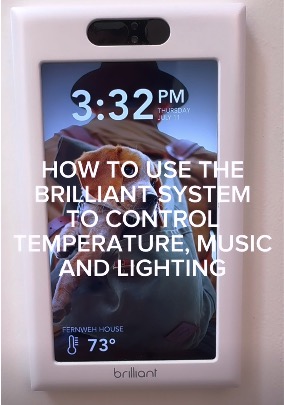
The control panel is mounted in the kitchen. From it you can set the perfect scene for any moment — dim the lights for dinner, fill the room with ambient music, or turn everything off before bed.
Lighting Scenes
Tap the Scenes icon on the display to browse pre-set lighting moods. Press your chosen scene 2-3 times with about 5 seconds between presses — there can be a brief lag as the system responds. Scenes range from a soft warm glow to immersive color themes.
Music
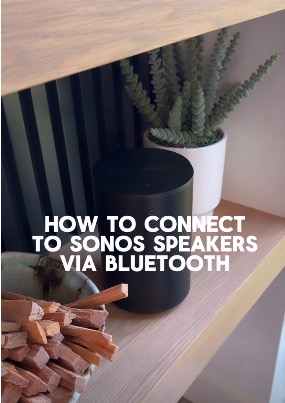
Tap the Music icon for a curated selection of thematic stations — all free to use. The house is equipped with Sonos speakers. You can also connect your device via Bluetooth for custom playlists.
Temperature (Ecobee Thermostat)
The home uses an Ecobee smart thermostat with sensors in multiple rooms, including both bedrooms. It calculates temperature based on the average of all occupied rooms. If one room is warmer than another, that's normal — the system is balancing the whole house.
The Green Room (downstairs bedroom) tends to be warmer in winter thanks to in-floor heating, and cooler in summer. The Blue Room (upstairs) can run cooler in winter — a space heater is provided to help.
Samsung Smart TV
The TV is designed to display artwork when not in use (Samsung Art Mode). To turn it on: press the power button on the remote. To turn it fully off: press and hold the power button — a single press will return it to Art Mode. Use your own streaming app credentials for Netflix, etc. Live TV via the Tablo app is provided, including Green Bay Packers games.
Was this helpful?
You’re already one of ours.
Join the list for our winter giveaway, plus a few notes a year on what’s happening at the house and the occasional offer.
Planning a return? Book direct next time — same house, lower rate.